The First News Filter: Why Screening News Matters as Much as Screening Stocks
The Insighthread Team
You can screen stocks by almost anything. Valuation, sector, market cap, growth, dividend yield: every serious investing platform has a screener, and most investors use one.
The news side of investing never got the same treatment. You get a feed, you scroll, and you hope the story you needed was near the top.
Stock screening is solved. News screening isn't.
A stock screener works because every company comes with the same fields. Market cap is a number, sector is a category, and you can sort and narrow by either one.
Most news doesn't work like that. A headline is a sentence, so the only tools you have are search and scrolling.
That's fine when you follow one company. It breaks down the moment your question is about a group of them.
One scenario: small-cap biotech with good FDA news
Say you want to see which small-cap healthcare companies just got good regulatory news.
In Insighthread's News feed, you set Impact Signal to Positive and Market Cap to Small Cap. Then you pick FDA Approval/Rejections from the category list.
Three selections later, the feed shows only that: positive FDA news about small-cap companies, nothing else.
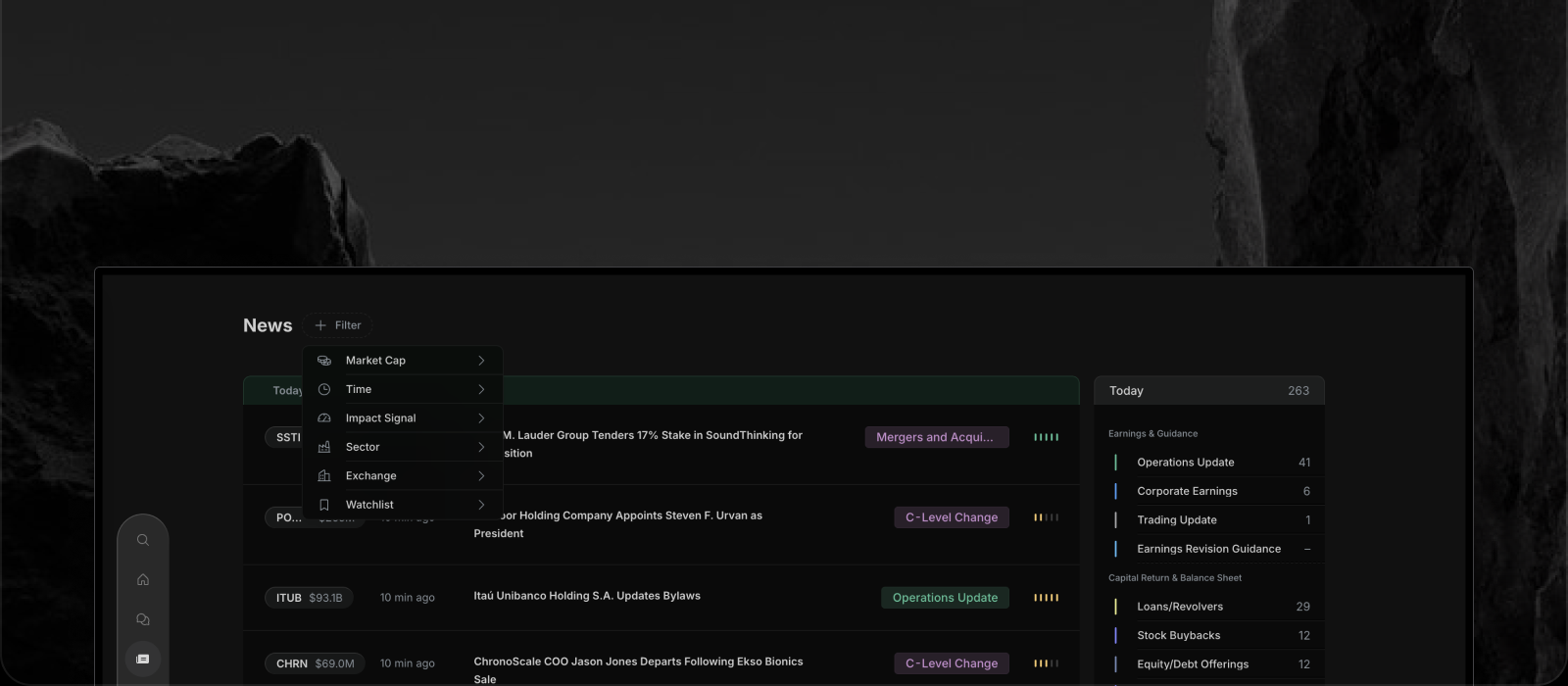
Each row carries the ticker with its market cap, a category badge and an impact signal, so you can judge a story without opening it.
Doing that by hand means scanning headlines across several tools and checking each company's size yourself. Here it's a few clicks.
Filter the news by what matters to you
The filters cover the questions investors actually ask.
Impact signal. Every item carries a five-bar indicator, coloured to show whether the news reads as negative, neutral or positive. Filter to Positive when you're hunting for good news, or Negative when you're checking risk.
Market cap. Mega, large, mid, small and micro cap. The same headline means something very different at a $200M company than at a $200B one.
Sector. The 11 standard sectors, from Technology and Healthcare to Energy and Utilities.
Time. Today, this week, this month, or all time.
Watchlist. Narrow the whole feed to the stocks you already follow, or to one specific watchlist.
Event category. Earnings, insider trades, mergers and acquisitions, FDA approvals and more, each with a live count so you can see what's moving before you click.
Stack them, include them, exclude them
The real power is in combining. Selected filters appear as small chips above the feed, and each one can be removed on its own without starting over.
Categories work as include and exclude. Click once to include a category, click again to exclude it. If you want everything except routine insider trades, you can say exactly that.
Pick two categories and you see items matching either. Add a market cap or a sector and the list narrows again.
The result is a feed shaped to your question, instead of a feed you have to mine.
Why this is possible: the news is structured
Filtering like this only works if every story has the same fields to filter on.
Insighthread's news isn't written by hand or pulled from freeform articles. Every item is generated from an SEC filing, then labelled with an event category and an impact signal, and tied to the company's market cap and sector.
Because those labels exist on every story, they can be filtered. A pile of freeform articles has nothing consistent to filter on, so you're left with keywords.
New items also appear within about 90 seconds of the filing, so a filtered view stays current as the market moves.
Start with a question, not a feed
Next time you catch yourself scrolling headlines, ask what you're really looking for. Good news in small caps? Bad news in your sector? Only the stocks on your watchlist?
Set the filters, and let the feed answer. Open the News page in Insighthread and try a combination of your own.